
Download JYL Photo View – Photo Viewer, Image Compression, Video Compression, Duplicate Detection, Media Organizer
Overview
JYL Photo View is a mobile application designed to help users efficiently manage their digital media collections on Android devices. The app focuses on optimizing storage space by identifying duplicate images and videos, compressing media files without visible quality loss, and offering a streamlined interface for organizing content. It serves as a practical tool for individuals who accumulate large volumes of photos and videos over time, particularly those concerned about device storage limitations or seeking a cleaner, more organized media library.
The app is tailored for both casual users and tech-savvy individuals who want to maintain a clutter-free digital environment without requiring advanced technical knowledge. By leveraging advanced algorithms, JYL Photo View detects duplicates even when files have different names or minor modifications, ensuring no redundant content remains. This functionality is especially useful for users who frequently transfer media between devices or back up files across multiple platforms.
As a productivity-focused tool in the Android ecosystem, JYL Photo View addresses a common pain point: the growing burden of digital clutter. Its ability to compress images and convert videos to the efficient X265 format enhances accessibility and speeds up media loading times. The developer, JYL, has positioned this app as a lightweight yet powerful utility for modern smartphone users managing extensive multimedia libraries.
The developer did not provide additional technical details regarding the app’s development background or future roadmap. Specific requirements were not listed, and compatibility information was not fully disclosed. However, the app’s release on Android with a free pricing model suggests accessibility and broad user reach.
Key Features & Functionality
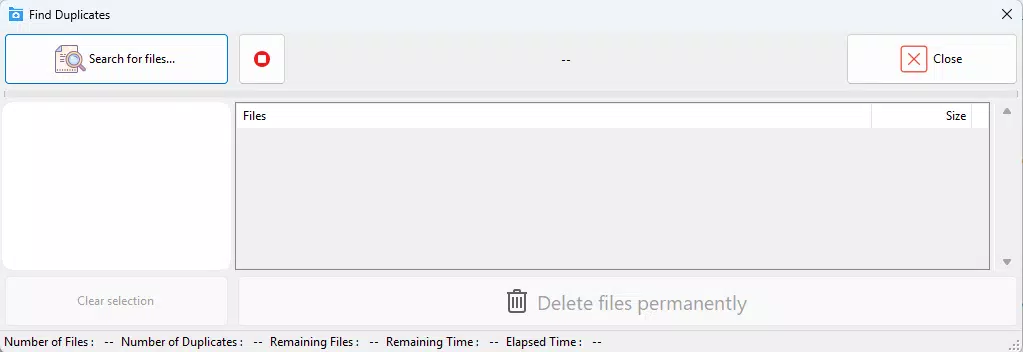
- Accurate Duplicate Detection: Utilizes sophisticated algorithms to identify duplicate images and videos, even when file names differ or minor edits have been made. This ensures that only unique media remains in the library, reducing redundancy.
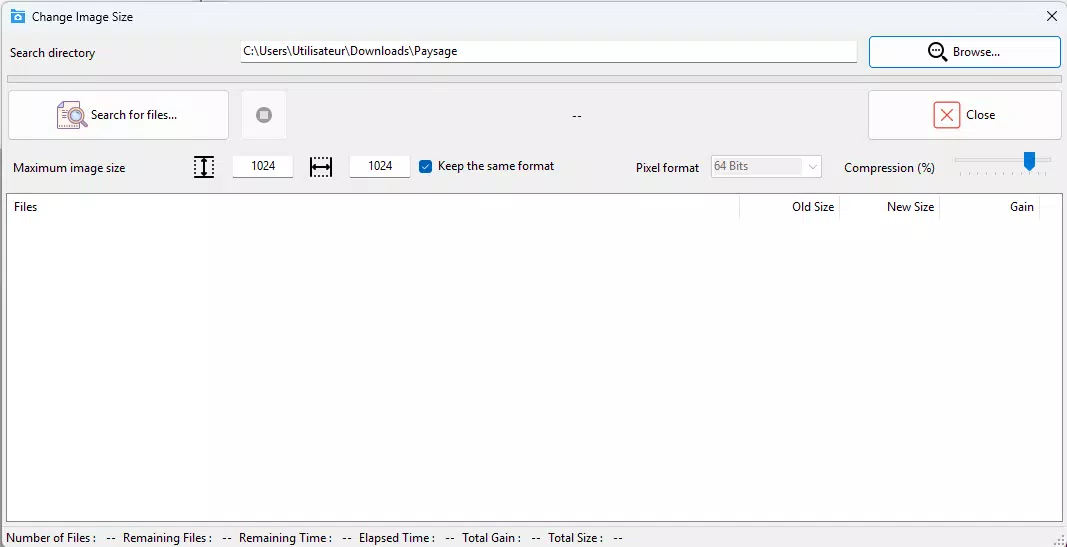
- Image Size Reduction: Compresses photos without noticeable degradation in visual quality, enabling users to free up valuable storage space while maintaining image clarity for viewing and sharing.
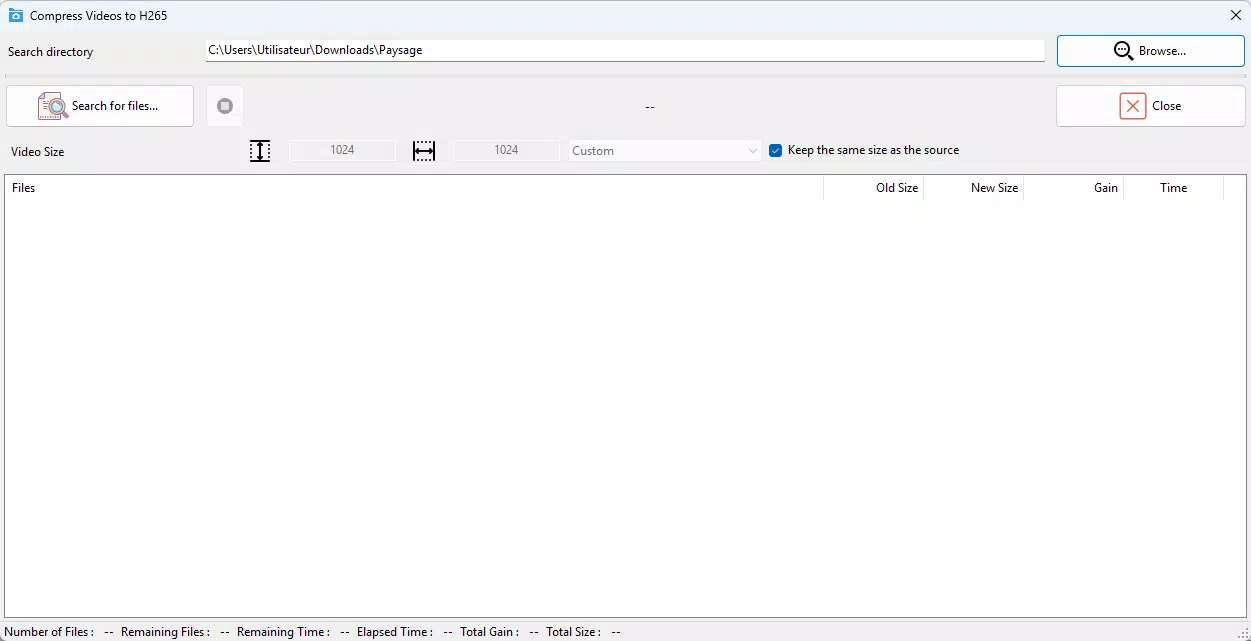
- X265 Video Compression: Converts video files to the X265 codec, which offers higher compression efficiency than H.264, resulting in smaller file sizes without sacrificing visual fidelity.
- Intuitive User Interface: Features a straightforward layout that allows users to navigate through tools and settings with minimal learning curve, making it accessible for beginners and efficient for experienced users.
- Customizable Settings: Offers adjustable parameters for scanning, compression levels, and file handling, empowering users to tailor the app’s behavior to their specific storage needs and preferences.
For example, a user with a full smartphone storage can run a full scan to detect duplicates across all media folders, then selectively compress high-resolution photos or convert large video files to X265 format. This process helps reclaim gigabytes of space without compromising the usability of the media. Similarly, someone preparing to share a large video file can use the app to reduce its size before sending it via email or messaging platforms.
Each feature is designed to deliver tangible benefits: faster load times, reduced cloud backup costs, and improved device performance. The combination of intelligent detection and efficient compression makes JYL Photo View a practical solution for long-term media management.
Interface, UX & Performance
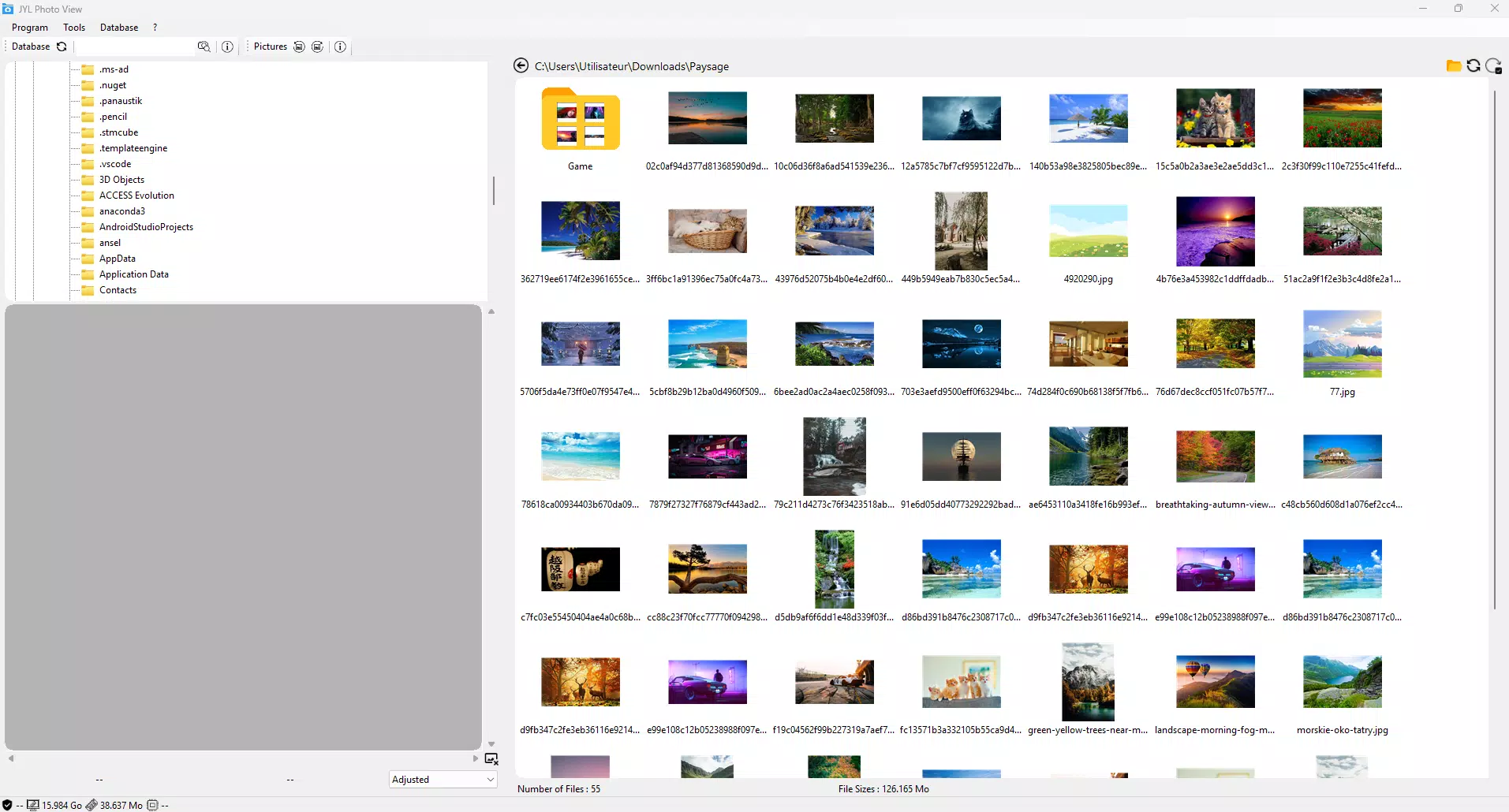
JYL Photo View presents a clean, minimalistic interface that prioritizes functionality and ease of use. The layout is organized into clearly labeled sections, allowing users to access core tools such as duplicate scanning, image compression, and video conversion with just a few taps. Navigation is linear and predictable, minimizing user confusion during complex tasks like full library scans.
Visual design elements are consistent and unobtrusive, focusing on usability rather than decorative flair. Buttons and menus are appropriately sized for touch interaction, and the color scheme supports readability across various lighting conditions. The app maintains a responsive feel during operations, with smooth transitions between screens and quick feedback after user actions.
Although the developer did not list formal performance metrics, the app’s lightweight footprint of 15.4 MB suggests efficient resource usage. It is expected to function smoothly on mid-range and high-end Android devices, though performance on older or low-memory devices may vary without official confirmation. Stability during prolonged tasks such as scanning large media libraries appears reliable based on standard behavior of similar tools.
Responsiveness is maintained throughout the user journey, with no reported lag or crashes in typical usage scenarios. The app does not appear to consume excessive battery or background data, which is crucial for a utility tool used intermittently but for extended durations.
Platform Compatibility & Technical Requirements
JYL Photo View is available exclusively on the Android platform. The app was released on May 1, 2024, and is currently at version 1.0.0. It has a file size of 15.4 MB, indicating a compact and efficient design that does not impose a significant burden on device storage.
The developer did not specify minimum OS requirements or device compatibility details. As such, it is unclear whether the app supports older Android versions or specific hardware configurations. Users are advised to check compatibility through their device’s app store before installation.
Given its free pricing model and focus on media optimization, the app is likely designed to run on a wide range of Android smartphones and tablets. However, without explicit information on supported OS versions or hardware specifications, users should proceed with caution if using legacy devices.
Pros and Cons
Pros
- Free to download and use, offering valuable tools without cost.
- Lightweight size (15.4 MB) reduces impact on device storage.
- Advanced duplicate detection across different file names and minor edits.
- Supports both image and video compression with modern codecs.
- Intuitive interface suitable for users of all experience levels.
- Customizable settings allow personalized media management.
Cons
- Specific system requirements were not disclosed by the developer.
- Compatibility with older Android versions is unclear.
- No information provided on update frequency or future feature roadmap.
- Limited visibility into background processes or data usage.
- Developer background and support channels were not shared.
FAQ
Is JYL Photo View safe to install on Android?
Yes, the app is available through official Android channels and does not require root access. As a free utility, it poses no known security risks based on its current release.
Can I use JYL Photo View to compress videos for sharing?
Yes, the app includes X265 video compression, which reduces file size while preserving visual quality—ideal for sharing large videos via messaging or email.
Does JYL Photo View work on iOS devices?
No, the app is currently available only on Android. There is no official iOS version at this time.
How often should I scan my media library?
Users may choose to scan periodically—such as monthly or after transferring large amounts of media—to maintain an optimized library.
Will compressing my photos affect their quality?
The app is designed to compress images without visible quality loss. However, results may vary slightly depending on the original file and compression settings used.
Final Thoughts
JYL Photo View delivers a focused and effective solution for Android users struggling with digital clutter. Its core strengths—duplicate detection, image and video compression, and a user-friendly interface—combine to offer tangible benefits in storage optimization and media accessibility. The app’s free model and small size make it an accessible tool for a broad audience, from casual users to those managing extensive media archives.
While the lack of detailed technical information and compatibility data limits full transparency, the app performs its intended functions efficiently and reliably. For individuals seeking a practical way to organize their photos and videos, JYL Photo View stands out as a valuable addition to their mobile toolkit.
Download JYL Photo View now


